 Tapflow
Your screen, finally explained.
Show your keystrokes, clicks, and camera on screen. Perfect for tutorials, live demos, and presentations.
macOS 14-27 · Apple Silicon & IntelEverything you see here is Tapflow, running live on screen.
Your shortcuts, visible.
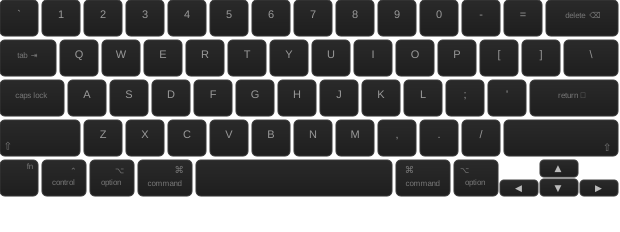
A floating overlay displays your keystrokes in real time. Above every window, captured by every recorder.
6 screen positions
Positions
Pin the overlay to any corner or edge
Dynamic position
Dynamic
The overlay follows your cursor around
Fully customizable
Custom
Colors, radius, size, background. Make it yours

Every click,
front and center.
Animated click rings, scroll indicators, cursor trail and highlight. Your audience sees everything.
Click Ring
Click Ring
Animated ring pulses on every click
Cursor Trail
Cursor Trail
Fading trail follows your cursor
Scroll Indicator
Scroll
Shows scroll direction on screen
And more
More
Spotlight, magnifier, highlight modes...
Your face on screen,
exactly how you want it.
A floating webcam bubble above all windows. 4 shapes, smart dodge, hover transparency.
Shape
Shape
4 shapes: circle, rounded, squircle, square
Smart Dodge
Dodge
Bubble dodges the cursor automatically
Hover Transparency
Opacity
Fades away when your cursor hovers it
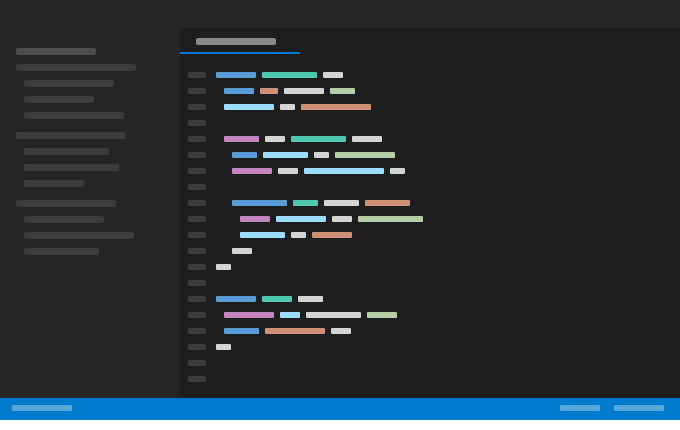

Draw on anything, instantly.
Annotate any window with arrows, shapes, highlighter and freehand drawing.

Everything at your fingertips.
One shortcut to show, hide, or switch tools without leaving your workflow.
Your style, your rules.
Colors, outlines, effects, cursor, keyboard: create complete presets and switch between them in one click.
Keyboard overlay
Mouse & cursor
Start free.
Go Pro when you're ready.
One-time purchase. Lifetime access. No subscription.
Get started
- Basic keystroke overlay
- Click ring & scroll indicator
- Freehand annotations
Buy once, yours forever. Future updates included when available.
| Free | Pro | |
|---|---|---|
| Keyboard overlay | ||
| Basic keystroke display | ✓ | ✓ |
| 6 fixed positions | ✓ | ✓ |
| Custom colors & theme | – | ✓ |
| Advanced styles (radius, shadow, glass) | – | ✓ |
| Dynamic position (follows cursor) | – | ✓ |
| 5 animation styles | – | ✓ |
| Mouse & cursor | ||
| Click indicator (animated ring) | ✓ | ✓ |
| Scroll indicator | ✓ | ✓ |
| Cursor highlight (4 modes) | – | ✓ |
| Cursor trail | – | ✓ |
| Annotations | ||
| Freehand drawing | ✓ | ✓ |
| Full tools (arrow, circle, rect, highlighter) | – | ✓ |
| Camera & overlays | ||
| Camera overlay (4 shapes, zoom, dodge) | – | ✓ |
| Active app display | – | ✓ |
| Customization | ||
| Presets (save, import, export) | – | ✓ |
Frequently asked questions
What is Tapflow?
Tapflow is a macOS overlay app that displays your keystrokes, mouse actions, and camera feed directly on screen - perfect for tutorials, demos, live presentations, and screen recordings.
Does Tapflow work with Zoom, Google Meet, or Microsoft Teams?
Yes. Tapflow works with any video conferencing or screen sharing tool. When you share your screen on Zoom, Google Meet, Teams, or any similar platform, Tapflow's overlay is visible to your audience - making it ideal for remote training sessions and live presentations.
Does Tapflow work with screen recorders like Loom, OBS or QuickTime?
Yes. Tapflow runs as a system overlay above all windows, so it is captured by any screen recorder automatically - no additional setup required.
What macOS version does Tapflow require?
Tapflow requires macOS 14 Sonoma or later, including macOS 27.
Why does Tapflow need Accessibility permission?
Tapflow uses the Accessibility API to detect keyboard input in real time and display your keystrokes on screen. This is required for the keyboard overlay feature. No keystrokes are stored or transmitted - everything stays local on your Mac.
Does Tapflow collect any data?
Your keystrokes, mouse events and camera feed are processed locally on your Mac and never leave it. The standalone version sends anonymous usage analytics to Mixpanel (EU servers) - events only, no keystrokes, no screen content, no personal identifiers. Creating a Pro account is optional and uses Sign in with Apple via Supabase (EU). Payments are handled by Paddle as Merchant of Record - Tapflow never sees your card details. See the Privacy Policy for full details.
Can I try Tapflow before buying?
Yes. Tapflow has a free tier with core features included - no time limit, no credit card required. You can upgrade to Pro at any time from within the app.
Is this a subscription?
No. Tapflow Pro is a one-time purchase. You pay once and keep lifetime access, including future updates when available.
Ready to level up
your screen presence?
Join the educators, developers, and creators who present with clarity.